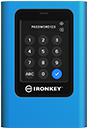
Ask an Expert
Planning the right solution requires an understanding of your project's security goals. Let Kingston's experts guide you on how to best defend your sensitive data.
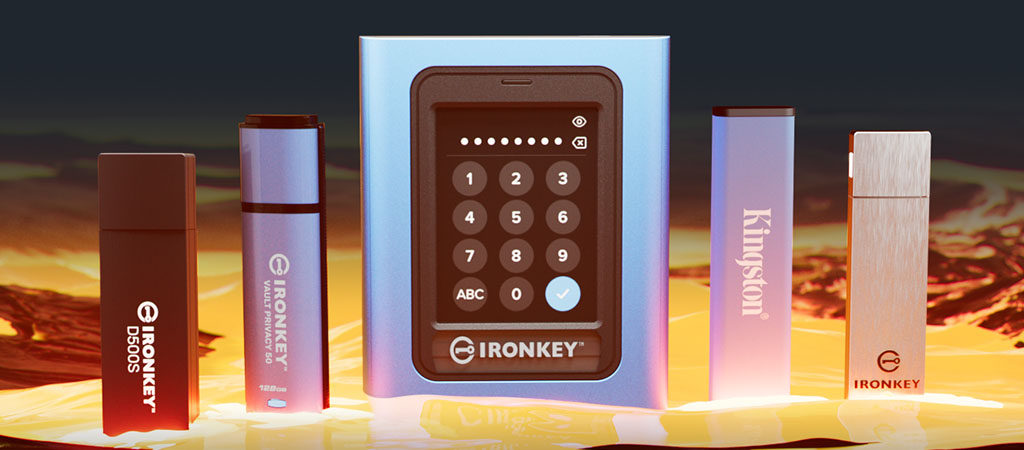
Ask an ExpertOnly hardware encryption gives your data the defense it deserves. Fortunately, the on-the-go secure storage solutions by Kingston IronKey™ don’t have any soft edges.
When data is taken outside of the office, your existing cybersecurity and data loss prevention policies can no longer keep you safe, making your data a soft target. Luckily IronKey drives provide on-the-go file storage with the ultimate portable security strategy.
The hard truth is that software-based encryption isn't enough. While it has its advantages, it may not match its perception as being comprehensive. It is only as secure as the device it is used on. Whereas hardware-based encryption offers a more robust solution. So, if you’re only software-secure, it’s time to harden defenses.
The cloud is not under your control. With unlimited password attempts, your files can continuously get attacked. Fortunately, IronKey devices meet the toughest security and compliance standards.

Planning the right solution requires an understanding of your project's security goals. Let Kingston's experts guide you on how to best defend your sensitive data.
Ask an Expert
With the power and pedigree of Kingston Technology forged into every product, trust that your data is truly secure when it’s secured by IronKey.

Safeguard important data with FIPS 140-2 Level 3 certified, FIPS 197 certified and XTS-AES 256-bit encryption capable devices. Additionally, there are built-in protections against BadUSB and Brute Force attacks.

Enable Admin, User, and One-Time Recovery passwords. Admin can reset a User password and create a One-Time recovery password to restore User’s access to data. Brute Force attack protection locks out User or One-Time Recovery passwords upon 10 invalid passwords entered in a row, and crypto-erases the drive if the Admin password is entered incorrectly 10 times in a row.

Select between Complex or Passphrase password mode. Passphrases can be a numeric PIN, sentence with space characters, list of words, or even lyrics – from 10 to 64 characters long.

Avoid malware attacks with a forced Read-Only mode set by Admin for User, or a session based Read-Only mode set by Admin or User.

Centrally administer access and usage policies for enterprise model versions of select drives.

Use Admin role to locally manage employee User and One-Time Recovery passwords, recover data access on locked drives, and comply with laws and regulations when forensics are required.
IronKey Inc. was an internet security and data privacy company established in 1996. IronKey was infused by a grant by the Department of Homeland Security in 2004 to develop a secure, tamper-resistant USB Flash drive, primarily for use by the US government and military. The IronKey brand soon grew quickly as the need for secure portable devices became evident: the biggest security threat to corporate and government users was the frequent loss or theft of data stored on USB drives.
In 2016, Kingston Technology, which had been manufacturing and delivering hardware-encrypted products since 2007, purchased IronKey. “Kingston IronKey” was born - and became the largest, best-known maker of hardware-encrypted USB drives in the world.

Our commitment to excellence ensures that we meet or exceed your business needs.

Our positive culture and exceptional people are what make our company great.

For over thirty-five years Kingston has been delivering solutions to businesses of every size, from start-ups to global Fortune 500 companies.




Questions to ask when seeking the right SSD for your organization’s data center.

Our infographic showcases the differences between software and hardware-based encryption.

Hardware, not software-based password protection, is the best way to protect files and drives.

2023 has been a year full of challenges and innovations. But what will 2024 bring?

Learn about two methods that give SMBs superior resilience vs. ransomware: encryption & backups.

In this whitepaper, we explain how to enforce a DLP strategy, while allowing USB drive use.

Enterprise-grade and military-grade digital security: two high standards with different requirements.

Learn how hardware encryption can protect a travelling lawyer’s confidentiality with secure file storage.

How is pen testing ensuring Kingston IronKey USB drives lead the way in trusted data security?

Hardware-encrypted Kingston IronKey drives protects organizations’ data on the move.

Bring Your Own Device (BYOD) policy is tricky for employers. How to balance security & convenience?

How do encrypted drives improve cybersecurity and compliance for finance companies? Kingston explains.

DLP offers tools for network admins to protect sensitive data from cybercrime and negligence.

A look at how the requirement of data encryption can be key to any organization's security strategy.

How can we bolster network security with remote working and international travel so common now?

Invest in encrypted drives so that if they are lost or stolen you are not on the hook for legal fees which can be more expensive.

Looking for improved data security & need to know what is encryption? Kingston covers the basics.

Discover why national security agencies trust Kingston IronKey to protect their data.

A company’s IT specialists should be expected to add data security to the PCs of remote workers.

Kingston’s three key practices for a robust DLP for businesses handling sensitive data.

You can read and write to an encrypted USB flash drive with an iPad or iPhone with the right adaptor. Here’s how.

Learn why hardware encryption beats software encryption for law firm data protection.

Passphrases are superior to complex passwords for keeping data secure, with many powerful benefits.

A brief explaining the purpose and types of data security software available.

HIPAA requires healthcare organizations to always keep patient data safe, including in transit.
This requires encryption of sensitive data, appointing a Security Officer, cyber security programs and policy adoption.

Kingston IronKey encrypted USBs are a security consideration for organizations of all sizes.

We compare unencrypted and encrypted USB drives and explain how to keep data secure!

Learn how Kingston IronKey is protecting the intellectual property with customization.

Discover why Kingston IronKey is the go-to solution for protecting financial services data.

Learn how Kingston IronKey is securing the military operations’ data.
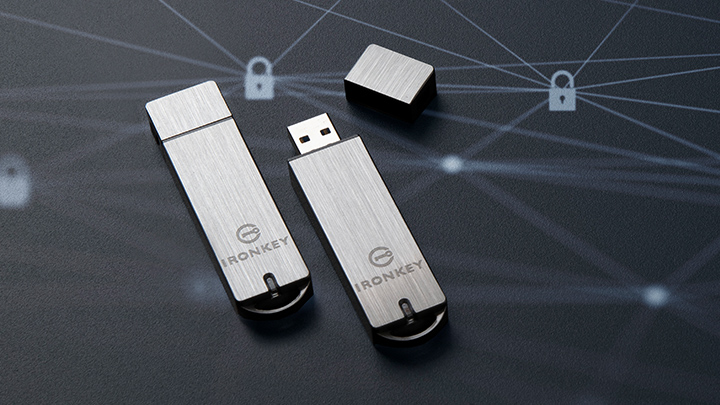
How can you get your organization to use encrypted drives and make them part of your security policy? Here are some tips.

Learn how Kingston IronKey is protecting the telecoms industry's data using encryption.

Encryption is an incredibly helpful option for creatives to protect their clients’ important files.

Kingston IronKey encrypted USBs: a small but important part of any organization’s security strategy.

Kingston IronKey can help mitigate data loss resulting from the rise in lost electronic devices.

In this eBook, we explore how encrypted USB drives have become a key tool in keeping data secure.

How to use your IronKey Vault Privacy 80 External SSD: set password, connecting to a PC and more.

Organizations are considering data security options to protect against private mobile data breaches.

Discover how Kingston IronKey is protecting the sensitive data of the finance sector.

Here is how Kingston IronKey helped protect the sensitive data of the Energy industry.

We explore our KingstonCognate experts’ thoughts on cyberthreats and cybersecurity challenges.

Software based encryption can be disabled by the user. This can lead to fines and legal fees if the drive is lost.

We explore Tomasz Surdyk's thoughts on how all entities can stay secure in the digitized world.

Don’t plug any USB drives into your computer if you don’t know exactly where they came from.

Protection data on the move with superior hardware-based Advanced Encryption Standard (AES) 256.

What we learned from Kingston’s experts and tech influencers on work-from-home enablement Twitter chat.

There are benefits to using both cloud storage and hardware-based encryption.

We explore the top 12 tips small and medium size enterprises can take to enhance cybersecurity.

We’ve examined several factors using unique research to identify what may impact markets globally in 2022.

2021 has been a year full of challenges and innovations. But what will 2022 bring?

Prof. Sally Eaves shares her thoughts on the SME cybersecurity landscape and the need for education & support.

Bill Mew shares his thoughts how the largest security challenges need commitment from the boardroom.

Rob May shares his thoughts on how close we are to edge computing and the security it requires.

Write your diary digitally with a password protected, cloud backup solution.

Secure important personal and private information on a PC with a hardware encrypted SSD.

The pandemic has increased internet traffic which has placed importance on the role of data centers.

The use of DLP software, VPNs, encrypted SSDs, and USBs will help mitigate some risks of remote working.

Cameron Crandall of Kingston helps you self-evaluate the need to move to your server storage solution to NVMe.

There are many advantages to using a dedicated hardware encryption processor in USB flash drives.

What will 2021 bring in tech and trends? What do our KingstonCognate members and industry experts predict for the future?
Cyber security and data privacy are everyone’s responsibility. What are the key considerations?

Learn why the future of business depends on SSD-enabled SDS, and how SSD fits into software-defined storage solutions.

Kingston & Matrix42 partnered to give optimal endpoint security solution in multiple sectors to mitigate risks.

Organizations must consider revenue, profit, and risk equally in order to mitigate data security & cyber security risks. In this article, industry expert Bill Mew provides an insight into this topic.
What do industry experts think has changed since the introduction of GDPR?

Data centers should be using server SSDs. There are many benefits over client drives and costs have come down.
NVMe is now the standard protocol for SSDs to empower data centers and enterprise environments.

Find out how Hardwareluxx were able to manage the growth of their web traffic using Kingston's DC500M SSD.

SDS hasn’t lived up to its hype but now that NVMe is more affordable the commodity hardware is ready to deliver.

Choosing the right SSD for your server is important since server SSDs are optimized to perform at a predictable latency level while client (desktop/laptop) SSDs are not. These difference result in better uptime and less lag for critical apps and services.

Cloud and on-premise data center managers can learn a lot from supercomputing.

To work from home you need a good workspace for your PC, the right conferencing gear, and a secure connection.

What strategies can organizations use to best secure customer data in a post-GDPR world with the ever-evolving nature of cyber security threats? Kingston pooled the knowledge of some of the UK’s most experienced commentators in cyber security to discuss how data protection has changed since the introduction of GDPR.

This whitepaper demonstrates how using Kingston Technology’s Data Centre DC500 SSDs can reduce your overall capital and licence costs by 39%.
Data Center 500 Series SSDs (DC500R / DC500M) – Consistency, predictability of Latency (response time) and IOPS (I/Os Per Second) performance.

You already know that remote working is a business enabler. But the challenges posed to your network security and compliance with GDPR are too big to ignore.

How to enable and disable Microsoft’s BitLocker eDrive feature to leverage hardware encryption on your Kingston SSD

The recent WannaCry ransomware made global headlines infecting and alerting everyone from government, healthcare, communication providers, automotive companies to corporations and the general public of their vulnerabilities.
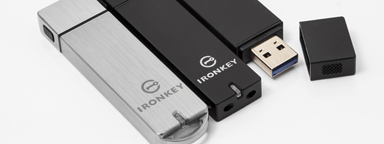
Overall, Kingston / IronKey Encrypted USB Drives prove to be the best solution in reliability, compatibility and security for portable data protection solutions.

End-to-End Data Protection protects customer’s data as soon as it is transferred by the host system to the SSD, and then from the SSD to the host computer. All Kingston SSDs incorporate this protection.

Some of Kingston and IronKey's Secure USB Flash drives are powered by partners, licensed technology, or services.

Firmware/hardware PFAIL protection is an highly effective method for preventing data loss in enterprise SSD.

The differences between SSD classes lies in two components; the processor and the NAND memory.

HPC can require massive amounts of data. SSDs consume a fraction of the power of their spinning disk.

Kingston datacenter SSDs provide excellent resiliency to protect sensitive data in OLTP workloads.
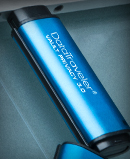
This program offers the options most frequently requested by customers, including serial numbering, dual password and custom logos. With a minimum order of 50 pieces, the program delivers precisely what your organization needs.
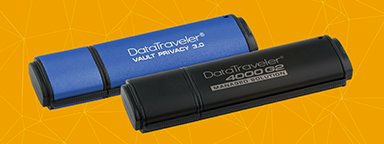
256-bit AES hardware-based XTS block cipher mode encryption is used in DT 4000G2 and DTVP 3.0.

Most IronKey and Kingston secure USB flash drives are FIPS 140-2 Certified.

Case in point, Heathrow Airport in London (October 30, 2017) uses Unencrypted USB Drives for its non-cloud storage. Unfortunately, they were not standardized on Encrypted USB drives. Their lack of implementing proper standards in data security / data loss protection with encrypted USB storage has now cost the EU a major breach of confidential and restricted information.
Linus breaks down hardware encryption making sure your files are safe and secure, especially when you're on the go. Make sure your portable storage is also safe and encrypted with Kingston Encrypted USB drives.

Storage can be the most challenging component for VDI performance.

Testing is a cornerstone of our commitment to deliver the most reliable products on the market. We perform rigorous tests on all of our products during each stage of production. These tests ensure quality control throughout the entire manufacturing process.

NVMe (Non-Volatile Memory Express) is a communications interface and driver that defines a command set and feature set for PCIe-based SSDs with the goals of increased and efficient performance and interoperability on a broad range of enterprise and client systems.

Encrypted USB Flash Drives keep your private data safe but how do they work?

Hardware-based encrypted USB Flash drives help protect your company’s sensitive information as data security and data protection is a major challenge for companies.

Software encryption is removable. Cloud isn’t under your control.
Only hardware encryption is the worthy defense for your data on-the-go.